






AI Practitioner to AI Architect
Five in-house programmes in two tracks: business staff with no coding, and IT, data and engineering staff.
Choose a level
Which level fits your team?
Not sure where your team stands? Find out your team’s AI readiness in 3 minutes, free.
Business track, no coding
Technical track
- Level 4
AI Integrator
IT needs to connect AI to your systems - Level 5
AI Architect
Technical leads must design and sign off AI systems
AI Developer
Your developers write code with AI assistantsTechnical track check. Can they write a short script? Have they called an API? Do they look after company systems or data? Two or more yes: start at AI Integrator.
Business track, no coding
Levels 2 and 3: AI Practitioner and AI Specialist
Level 2 · Business track · No code
AI Practitioner
Hand your repeatable tasks to AI assistants and agents, and check what they deliver.
From RM 12,500 15 hours of training
What your team will learn
Module 1Clean and qualify data
2 hours
Fix duplicates and gaps in your own data, and agree which documents AI may use.
Module 2Analyse with AI
3 hours
Ask plain-language questions of your data in Copilot in Excel, Gemini in Sheets or Power BI, and check the answers before they reach your manager.
Module 3Assistants for your own work
3 hours
Pick a chatbot, assistant or agent for each task, and set up an assistant for your recurring work in Custom GPTs, Claude Projects or Gemini Gems.
Module 4Build your first agent
3 hours
Shortlist tasks worth automating, then build a simple no-code workflow in Power Automate or Zapier and a first agent in Copilot (Agent Builder or Copilot Studio) or Gemini (Gems).
Module 5Delegate to desktop agents
2 hours
Hand a multi-step task to an agent that works across your files and apps: Claude Cowork, Microsoft 365 Copilot Cowork or OpenAI Codex (it also works on documents, data and reports). Set the scope, review its plan and approve the result. We use the tool your company has; if you have none, the trainer demonstrates on Mereka’s account.
Module 6Check your agent’s work
2 hours
Review what your agent did, use a troubleshooting checklist, and follow team rules on approved tools and data.
What participants walk away with
Start here if
- You use AI weekly but results vary
- You repeat the same reports or document tasks every week
- You have finished AI Foundation (L1) or an equivalent course
Who it’s for
Analysts and HR, finance and operations staff
Work with reports, data and documents every week.
What participants need
- A laptop and a work account for the AI tool your company uses
- A paid plan of that tool, or Microsoft 365 Copilot, to build agents
- Power Automate or Zapier for automations
- We check licences in the discovery call
Licence details
Building an agent needs Copilot Studio or Agent Builder in Microsoft 365 Copilot, or a paid plan of your chosen tool. The desktop-agent module needs a paid Claude plan, ChatGPT with Codex, or Microsoft 365 Copilot with Cowork switched on by IT (Copilot Cowork needs a Microsoft 365 Copilot licence and is billed per task). If your company has none of these, the trainer demonstrates on Mereka’s account.
Tools we use
Microsoft 365 Copilot (Copilot in Excel, Agent Builder, Copilot Studio), ChatGPT (Custom GPTs), Claude (Projects), Gemini (Gems, Gemini in Sheets), Power BI, Power Automate or Zapier, and for desktop agents Claude Cowork, Microsoft 365 Copilot Cowork or OpenAI Codex.
Next Up: AI Specialist (L3) on the business track, or AI Integrator (L4) for IT staff. Sideways: an AI Tool Deep Dive on your company’s tool.
Level 3 · Business track · No code
AI Specialist
Build the AI tools your team relies on, roll them out, and keep them accurate. No code.
From RM 14,500 15 hours of training
What your team will learn
Module 1Organise your team’s knowledge
3 hours
Choose and tidy the documents your team’s assistant will use, name an owner for each, and decide what stays out.
Module 2Instructions your team can rely on
2 hours
Write the assistant’s role, limits and fallback answers, and test them on the questions your team actually asks.
Module 3Build your team assistant
3 hours
Build the assistant in Copilot Studio or your chosen platform, check its answers against your documents, and add voice notes and images.
Module 4Automate a team process
4 hours
Build a multi-step automation with approval steps and alerts, and roll it out to your team.
Module 5Launch, adoption and upkeep
3 hours
Train colleagues, track usage and feedback, and run a monthly check so the tool stays accurate.
What participants walk away with
Start here if
- Colleagues ask you to share your AI setups
- Your team repeats a process that could be automated
- You will own a team AI tool after training
Who it’s for
Digital and operations leads
Own the AI tools their department uses.
Process improvement staff
Turn repeatable work into automations.
What participants need
- A laptop and a work account for the AI tool your company uses
- Maker access in Copilot Studio, Power Automate or Zapier, or your chosen platform
- An IT contact who can grant access and approve the rollout to your team
Next Up: AI Integrator (L4) if you move into IT. Sideways: AI Transformation for a company-wide rollout.
Technical track
Levels 4 and 5: AI Integrator and AI Architect, plus AI Developer
Level 4 · Technical track · Code and low-code
AI Integrator
Connect AI securely to the systems your business runs on, in code and in n8n.
From RM 24,000 24 hours of training
What your team will learn
Module 1Connect AI with MCP
3 hours
MCP is a standard way to connect AI to data and apps. Choose the MCP servers that fit your use case and data sensitivity, connect them to your approved AI assistant and build one small MCP server over an internal API.
Module 2Security for builders
3 hours
Set up sign-in, permissions and audit logs, keep keys and passwords out of code and prompts and defend against prompt injection (hidden instructions in a document that try to take over the AI).
Module 3Integration workflows in n8n
6 hours
n8n is a visual automation tool. Chain business systems, models and MCP servers in n8n, with retries and failure alerts.
Module 4Call AI from code
3 hours
Call model APIs from a script, ask for structured outputs your systems can read and manage cost and rate limits.
Module 5Retrieval (RAG) in code
4 hours
Chunk, index and search company documents in code, return cited answers, and measure retrieval accuracy.
Module 6Self-hosted models and agents
3 hours
Run an open-source model or agent on internal servers, limit what it can reach, and weigh self-hosting against the cloud for PDPA and cost.
Module 7Automated tests and logging
2 hours
Run test sets automatically after every change, and log failures, cost and response times.
What participants walk away with
Start here if
- You can write a short script
- You have called an API
- You look after company systems or data
Who it’s for
IT teams
Connect AI to the systems the business already runs.
Technical operations staff
Run and support automations day to day.
What participants need
- A test environment agreed with your IT team two weeks before day 1
- API keys for the AI services you use
- Nothing connects to your live systems during training
Setup details
The test environment is a test server or virtual machine, API keys for the AI services you use, a test internal API and access to n8n. We send the checklist.
Tools we use
MCP, n8n, model APIs and open-source models on your own servers.
Next Up: AI Architect (L5). Sideways: AI Developer, for staff who code daily.
Level 5 · Technical track · For technical leads
AI Architect
Set how AI systems are designed, tested and signed off across your organisation.
From RM 24,000 16 hours of training
What your team will learn
Module 1Design AI systems
4 hours
Design system prompts, tool calls and document retrieval as one system, on no-code or developer platforms, then test each part and the whole.
Module 2Data and memory design
3 hours
Decide which data sources, permissions and memory each AI system gets, and tell data problems from model problems.
Module 3Quality and guardrail standards
3 hours
Set the tests, input and output filters, and cost limits every AI system must pass before launch.
Module 4Compliance and security
3 hours
Handle data with consent, minimisation, audit trails and data residency (which country your data is stored in), defend against prompt injection (hidden instructions in a document that try to take over the AI) and data leaks and review systems before launch.
Module 5Prompt, retrieval or fine-tune?
3 hours
Choose between better prompts, better retrieval or fine-tuning (further training a model on your own examples), write a one-page brief, and assess vendor proposals.
What participants walk away with
Start here if
- You approve AI systems before they go live
- Several teams are building AI tools in different ways
- You have finished AI Integrator (L4), or lead engineers who have
Who it’s for
Solution architects and senior engineers
Design how AI connects to company data and tools.
Security and compliance engineers
Review AI systems before and after launch.
What participants need
- Access to the AI platforms your company is considering
- A sample of the documents or data your designs will use, in a test environment
Tools we use
The AI platforms your company is evaluating, with sample data in a test environment. Data sources: SharePoint, Google Drive and databases.
Next Sideways: Strategic AI Leadership, to brief senior leaders on what you have set.
Standalone · technical track
AI Developer
For people who write code every day. Use AI coding assistants well, review and test what they write, and agree team rules so code and secrets stay safe.
From RM 24,000 16 hours of training
What your team will learn
Module 1Coding assistants in your workflow
5 hours
GitHub Copilot, Claude Code, Cursor or the tool your company has approved: when to ask, how to give context and how to keep changes small.
Module 2Review and test AI-written code
5 hours
Read AI-written code like a colleague’s pull request, write the tests first and catch the mistakes AI makes most often.
Module 3Keep code and secrets safe
3 hours
Which code and data can go into which tools, keeping keys out of prompts and repositories and checking licences of suggested code.
Module 4Team rules for AI in your code
3 hours
Agree how your team uses AI: review rules, what must be tested, what is never pasted and how to share good prompts.
What participants walk away with
Who it’s for
Tech leads
Set the team rules for AI in your code and review what it writes.
QA and DevOps staff
Test AI-written code and keep keys and secrets out of prompts.
What participants need
- The coding assistant your company has approved, on a paid business plan
- A practice repository
Licence details
Any approved coding assistant works: GitHub Copilot, Claude Code, Cursor or another. We plan the session around the tools you have approved.
What’s included
- 16 hours of hands-on training on your own stack, in a practice repository
- A review checklist and team rules your team can adopt the same week
- Certificate of completion
- Monthly alumni sessions for three months after training
Every level
What's included at every level
Hands-on practice
Participants build and test their own assistants, automations or systems during the training.
Certificate of completion
A certificate of completion for every participant who finishes the programme.
Impact survey and alumni sessions
One month after training we survey participants and send HR the results. Monthly alumni sessions run for three months.
Prompt library and competency report
AI Practitioner and AI Specialist: a prompt library built around your team’s tasks and a before-and-after competency report.
Add-ons
Add a 30-day follow-up
Training is day one. Over the next month your team uses AI on real work, then shows leadership what changed.
Included
Impact survey and alumni sessions
No extra cost
- We email participants the impact survey one month after training, and HR gets the results
- Monthly alumni sessions for three months
30-day follow-up session
RM 2,500per session, up to 25 people
- Two hours online, about a month after training
- Teams present what they built and how they now use AI
- We invite your managers and leadership, so they see the results for themselves
- The impact survey is filled in during the session, and HR gets the results within 5 working days
Follow-up session with drop-in clinics
RM 5,000up to 25 people
- Everything in the follow-up session
- Plus two 1-hour online clinics in weeks 2 and 3, for your team only
- People bring the work they are building and get help when they get stuck
- Your team arrives at the follow-up session ready to present
The same for every level and for AI Developer. Prices exclude 8% SST. HRD Corp claimable.
Proof
How we know it works
What participants told us straight after training (May to October 2026). We report the same surveys for your cohort.
What participants built
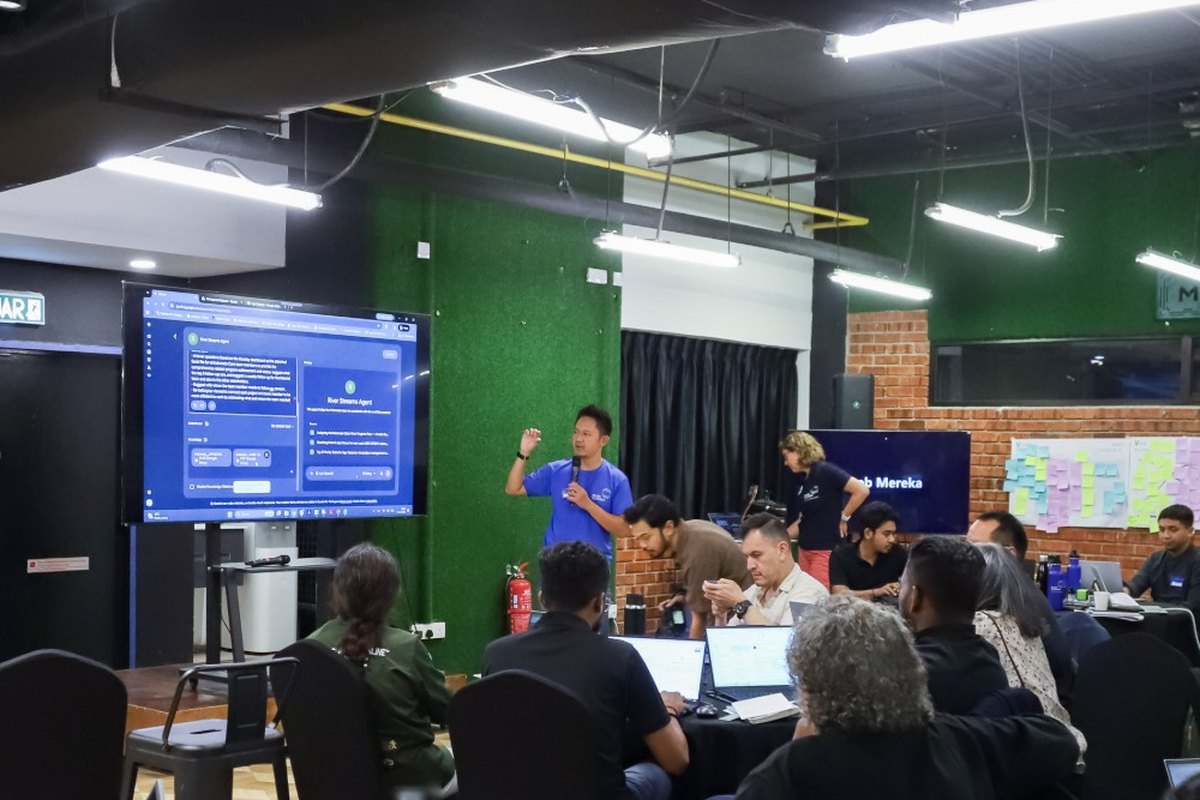
- 26no-code AI chatbots built by participants in a one-day hackathon
- 7 monthsafter training, a manufacturer confirmed in writing that its teams still use the Sheets, Gemini and Forms templates they built
How our engineers used AI to build a team analytics dashboard
From spreadsheets to a dashboard of our engineering activity, refreshed every 6 hours.Mastery path
Where to go next
Before Level 2
AI Foundation
Level 1. The starting point for any team: AI at work, prompting and AI agents.
For senior leaders
Strategic AI Leadership
Three in-house courses for senior leaders: invest in, govern and sustain AI.
Rolling AI tools out across the company
AI Workspace Setup
Moves teams from personal subscriptions to one company-wide setup for Copilot, ChatGPT, Claude or Gemini.
Get started
Book a free discovery call
Step 1
We learn your goals
In 30 minutes: your team, your tools and what you want AI to change.
Step 2
We recommend and quote
The right programme and format, in a tailored proposal.
Step 3
We handle HRD Corp
We prepare the HRD Corp documents and claim from your levy, so there is no deposit. Paying another way? We set it up with you.
Prefer to message? Email ailab@mereka.io or WhatsApp +60 11-3011 6472

Thank you
We have your details and will email you to book the call. Urgent? WhatsApp us at +60 11-3011 6472 and we reply within the next working day.